Building This Site with AI
No coding experience. A production portfolio built entirely through AI collaboration: Astro, Cloudflare, GitHub, live AI chat, a CMS. The real story of what it takes to make that actually work.
Overview
I don't write code. I write direction.
This portfolio is the project. Every section, every animation, every integration, all built through AI collaboration, without writing a single line of code myself. No computer science degree. No bootcamp. No Stack Overflow at 2am.
But here's what people get wrong about that: the AI didn't build this. I built this. The AI was the tool. I was the one who knew what I wanted, could tell when something was wrong, kept pushing until it was right, and made every single design and product decision along the way.
This case study is the behind-the-scenes look: the actual process, the real tools, the raw back-and-forth, because I think it's more useful to show what this actually looks like than to make it sound magical.
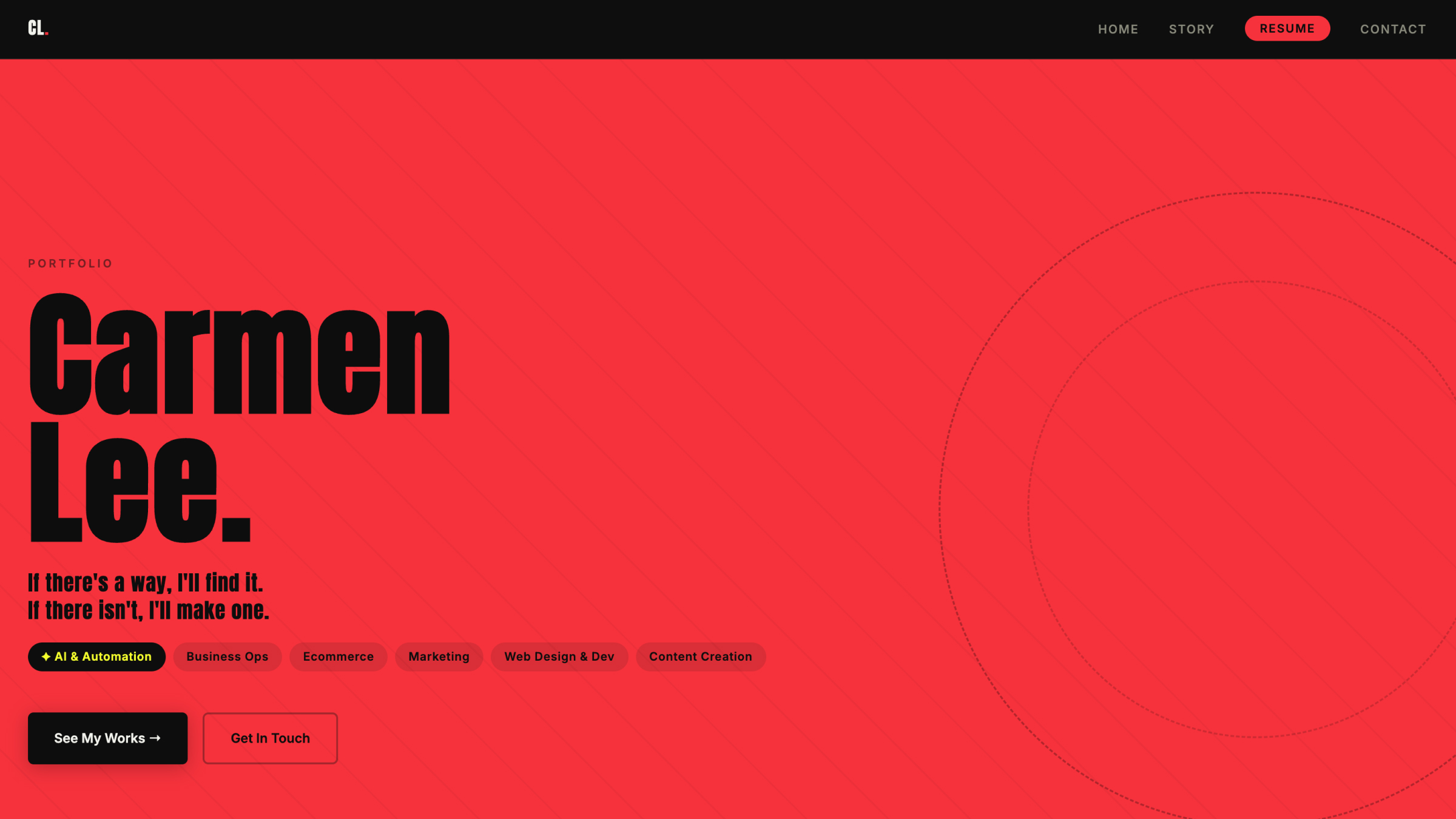
The finished homepage hero
What Got Built
A real production website. Not a template.
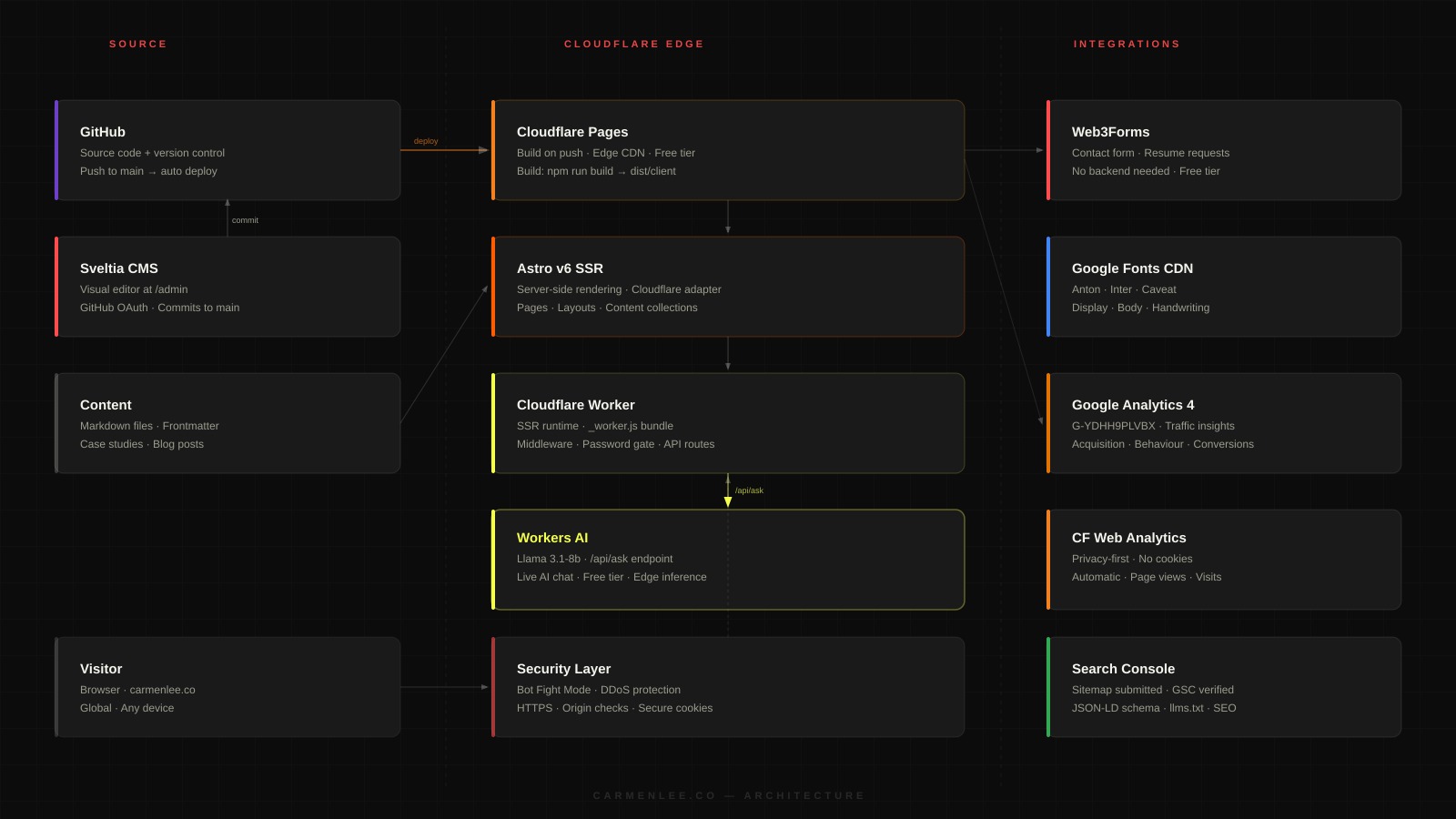
Not a Squarespace. Not a Webflow. A custom-built site on a real tech stack: Astro v6 SSR, deployed on Cloudflare's global edge network, with a git-based CMS, password-protected case studies, and a live AI chat powered by an actual language model. The kind of thing that would normally require a developer or a small agency.
The Stack
Every tool chosen for a reason.
I didn't choose these tools because the AI suggested them. I asked what the right tools were for what I needed: globally fast, free or near-free hosting, a CMS I could use without touching code, no third-party auth services. Then I made the call. Understanding what you need is different from knowing how to build it.
The Real Process
What this actually looks like.
People imagine AI-assisted building as: you type "build me a portfolio" and a finished website appears. That's not what this is. Here's what it actually looks like.
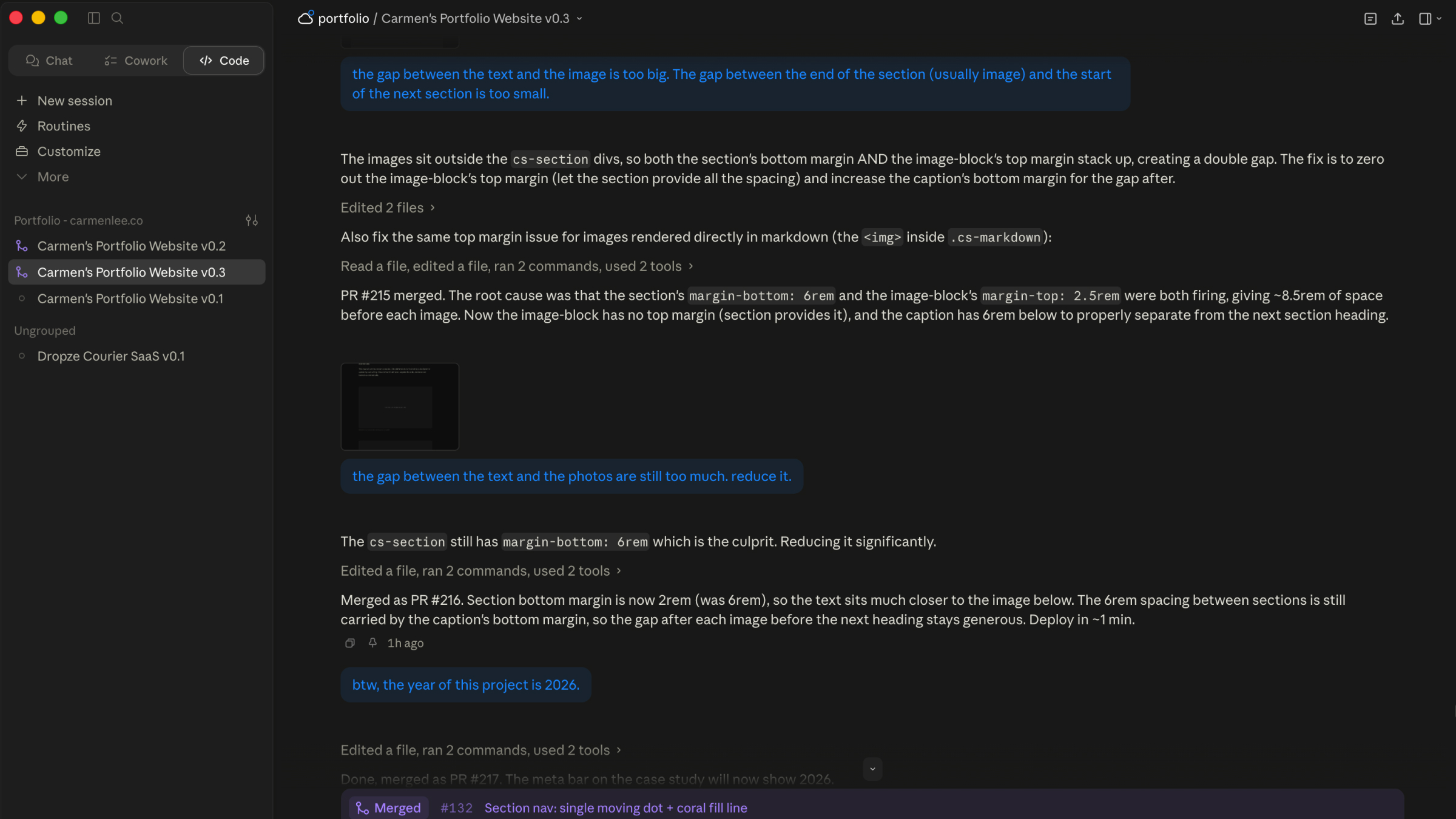
The actual working environment: Claude Code with my directions
Step 1
The brief I gave myself.
Before a single line of code was written, I had to know what I wanted. Not vaguely. Specifically. What does the hero section feel like? What happens when you scroll? What's the exact right colour for the accent? What's the font pairing? What sections does a portfolio for someone like me actually need?
The answers weren't "I'll figure it out as I go." They were: dark, editorial, coral, Anton, a skills section that shows personality not just a list, an experience section that tells a story, an AI chat because I build AI things and the portfolio should prove it, case studies that feel like work not wall-of-text.
That clarity is the foundation. Without it, you just get generic.
Step 2
GitHub, Cloudflare, the boring infrastructure stuff.
Before any design work, the pipeline had to exist. Repository on GitHub. Project on Cloudflare Pages connected to the repo. Every push to main triggers a deploy automatically, so every time a change is merged, the live site updates within a minute.
Setting this up wasn't magic. I went through the Cloudflare Pages dashboard, connected the GitHub repo, set the build command and output directory, added the environment variables for the CMS OAuth and the case study password. Step by step. The AI walked me through what each setting meant and what to put where.
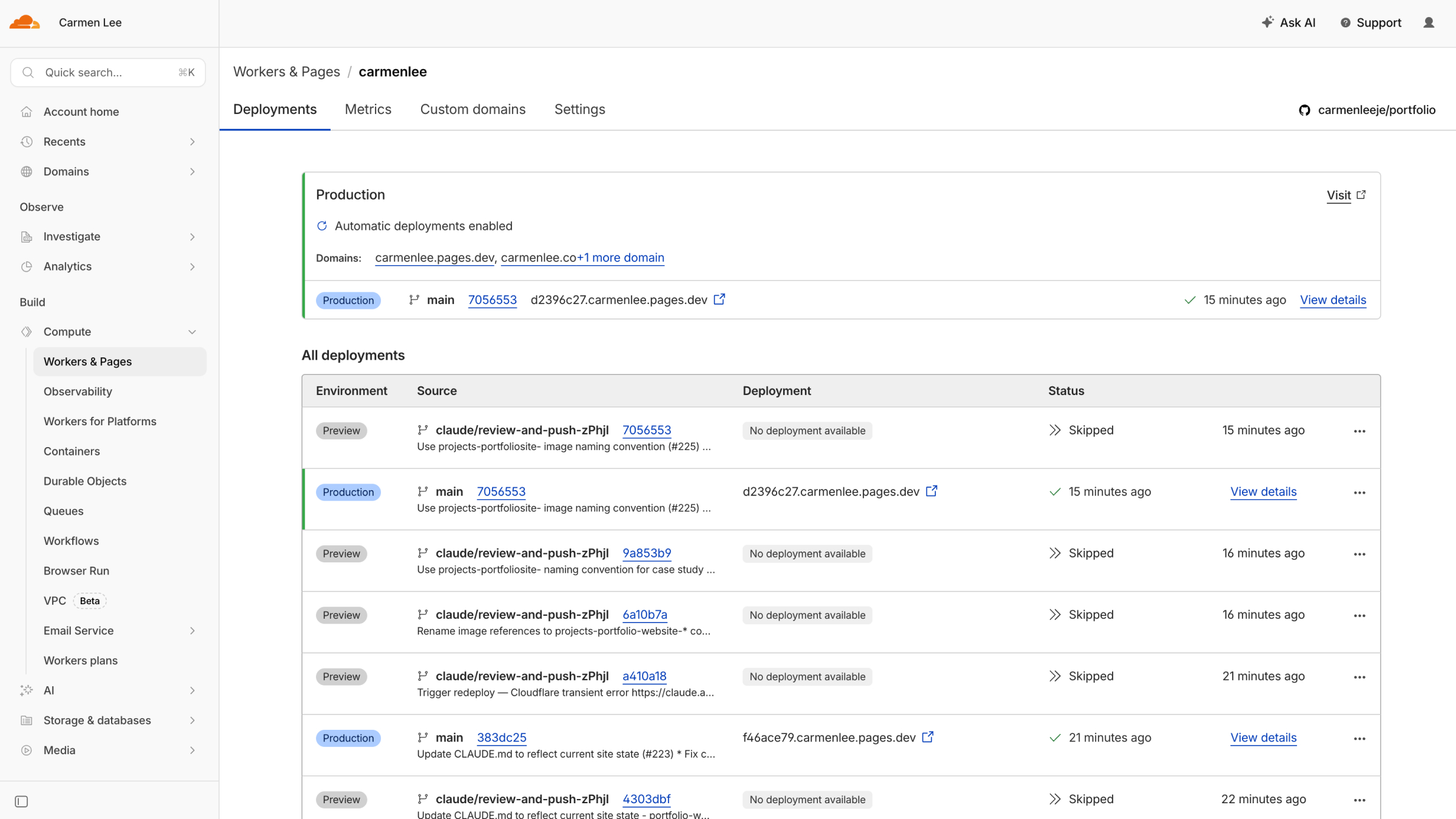
Cloudflare Pages: deployment pipeline connected to GitHub
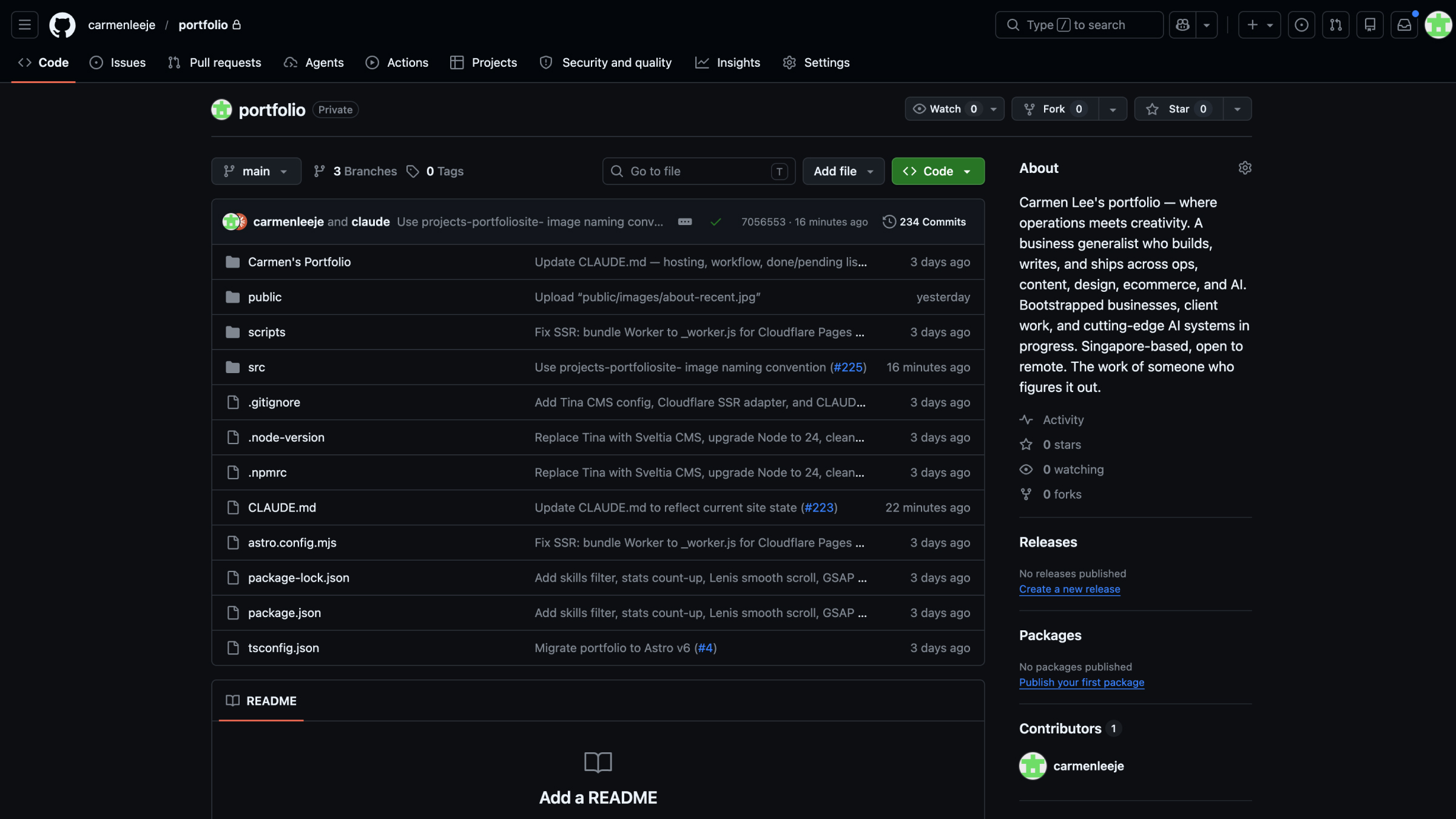
GitHub: every change tracked, every feature in its own PR
Step 3
Section by section. Feedback by feedback.
Each section of the homepage was its own conversation. I'd describe the layout, see what came out, react to it, push back when something was wrong, iterate. Sometimes one round. Sometimes ten.
My feedback sounded like this:
None of that required knowing how to code. It required knowing what I wanted, having a clear eye, and being willing to keep going until it was actually right. Not just good enough.
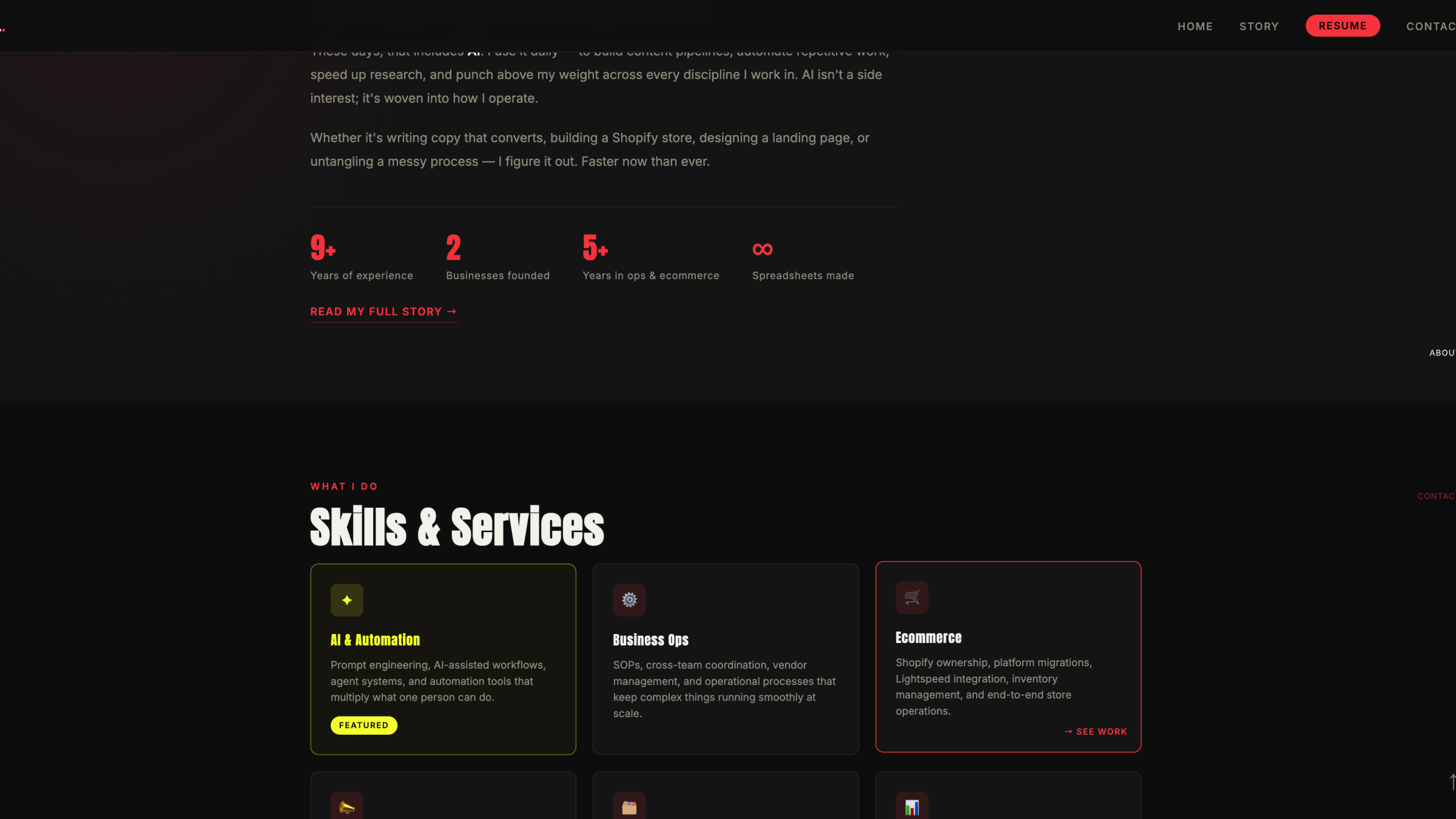
Homepage: multiple sections, each built through iteration
Step 4
Content lives in markdown. I write it myself.
Case studies, blog posts, project metadata: all of it lives in markdown files with frontmatter. I write the content. The CMS gives me a visual editor if I want it. The site renders it automatically.
This means I own the content completely. No platform lock-in. No monthly subscription to update my own writing. It lives in the GitHub repo alongside the code, versioned and backed up automatically.
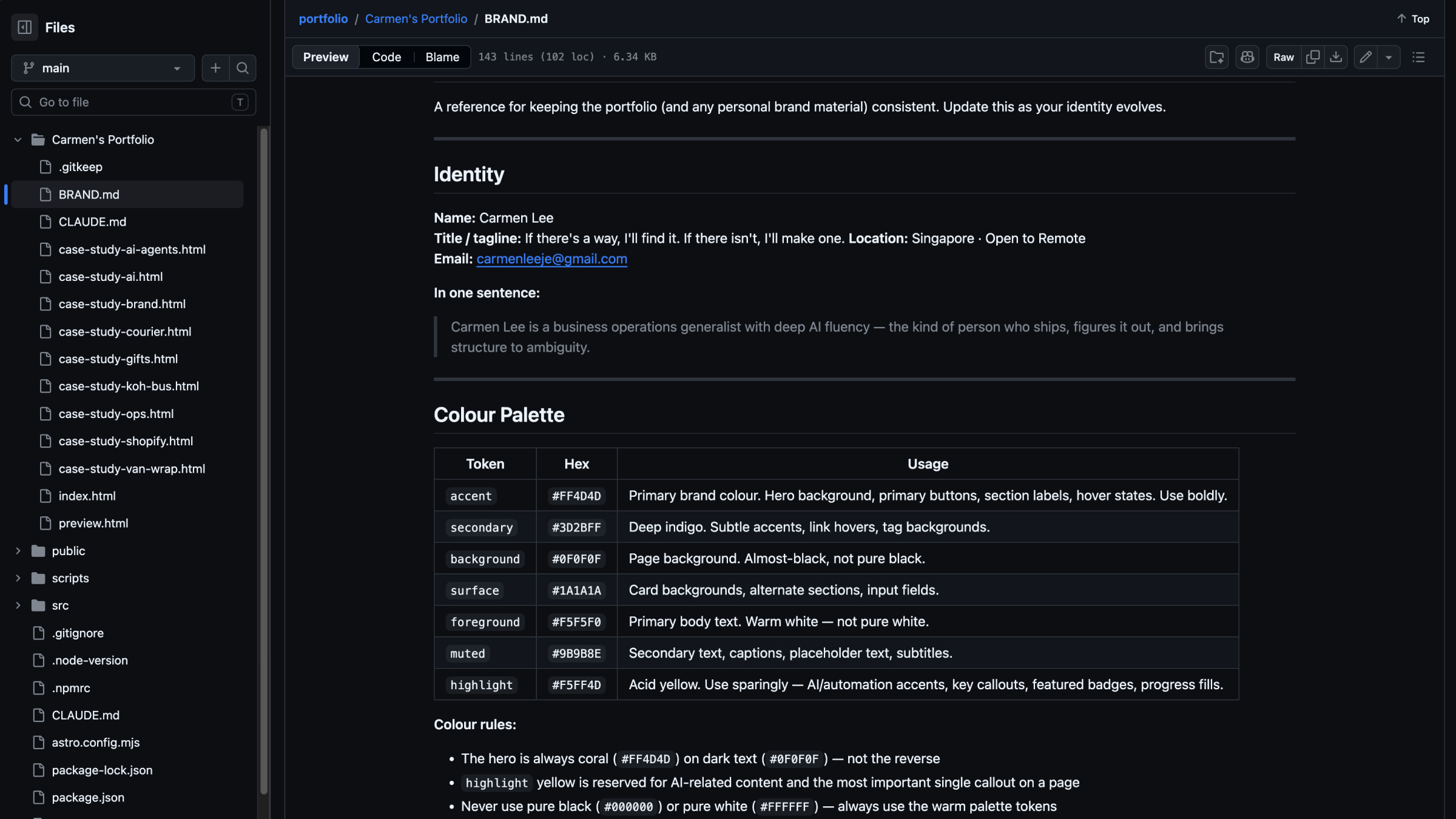
Markdown: how case studies and blog posts are written
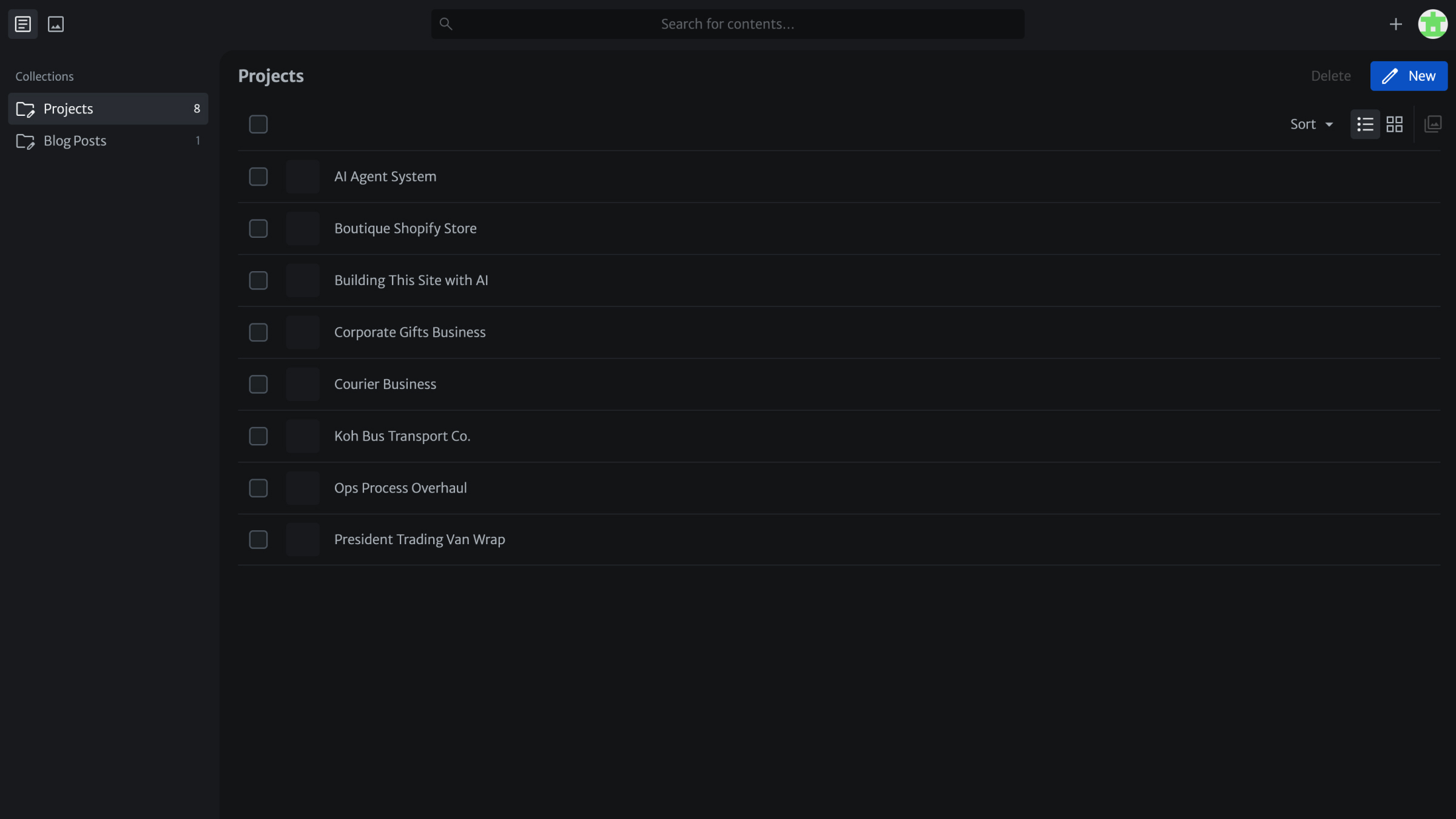
Sveltia CMS: visual editor at /admin for when I don't want to touch files
Step 5
Mobile. Tested on an actual phone.
Every feature got tested on a real device, not just a browser window. The mobile skills section is a completely different layout to desktop: an editorial scattered card reveal with scroll-driven parallax. The AI chat widget required proper keyboard handling so the input stays visible when you type. The section nav needed pointer-event logic so it didn't intercept taps on other elements.
Each of these bugs I found myself by actually using the site. I described what was wrong, we worked through it, and we fixed it. That loop (test, find, fix, test again) is something I drove. The AI doesn't send screenshots of its own output to check if it looks right on mobile.
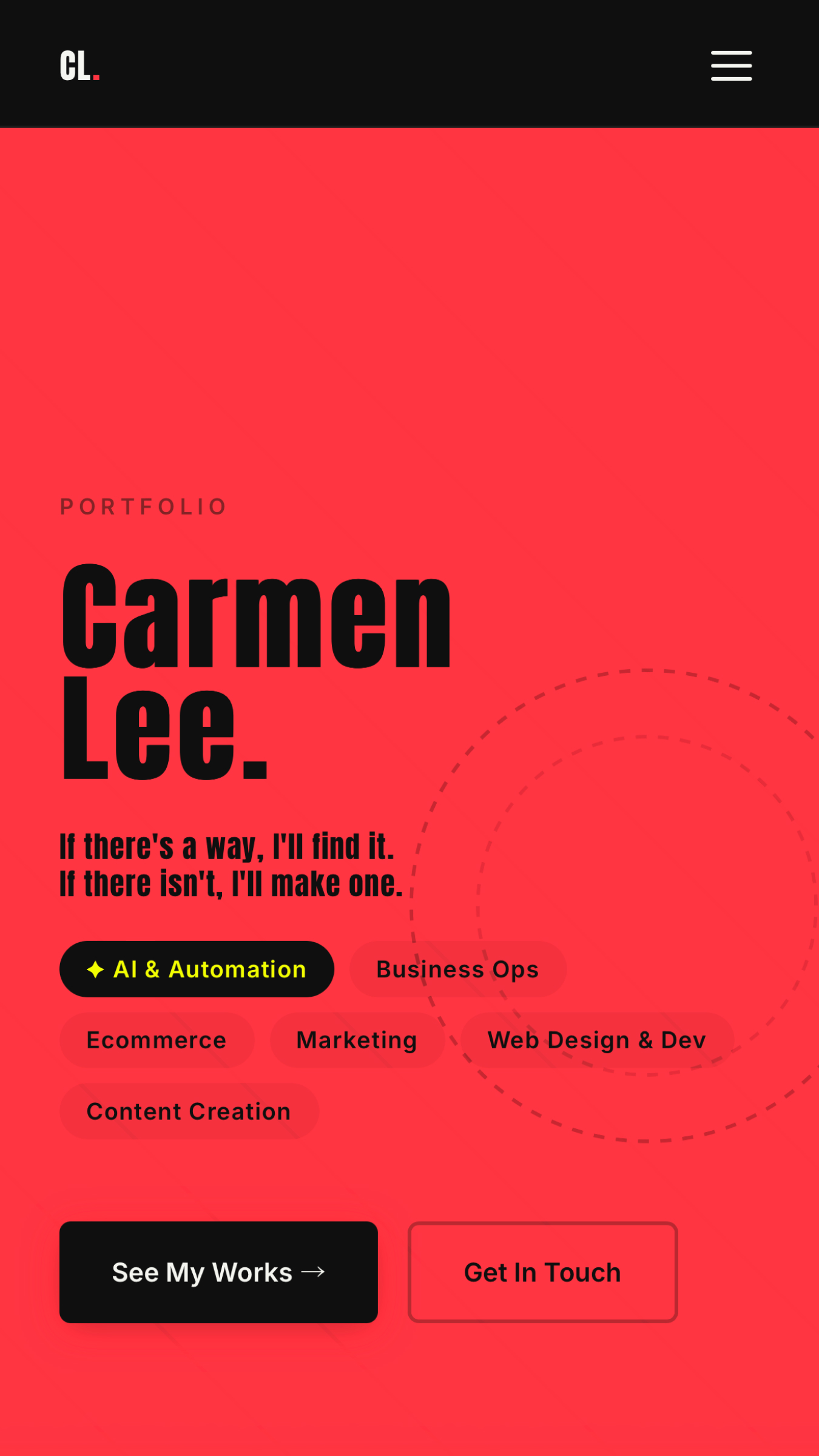
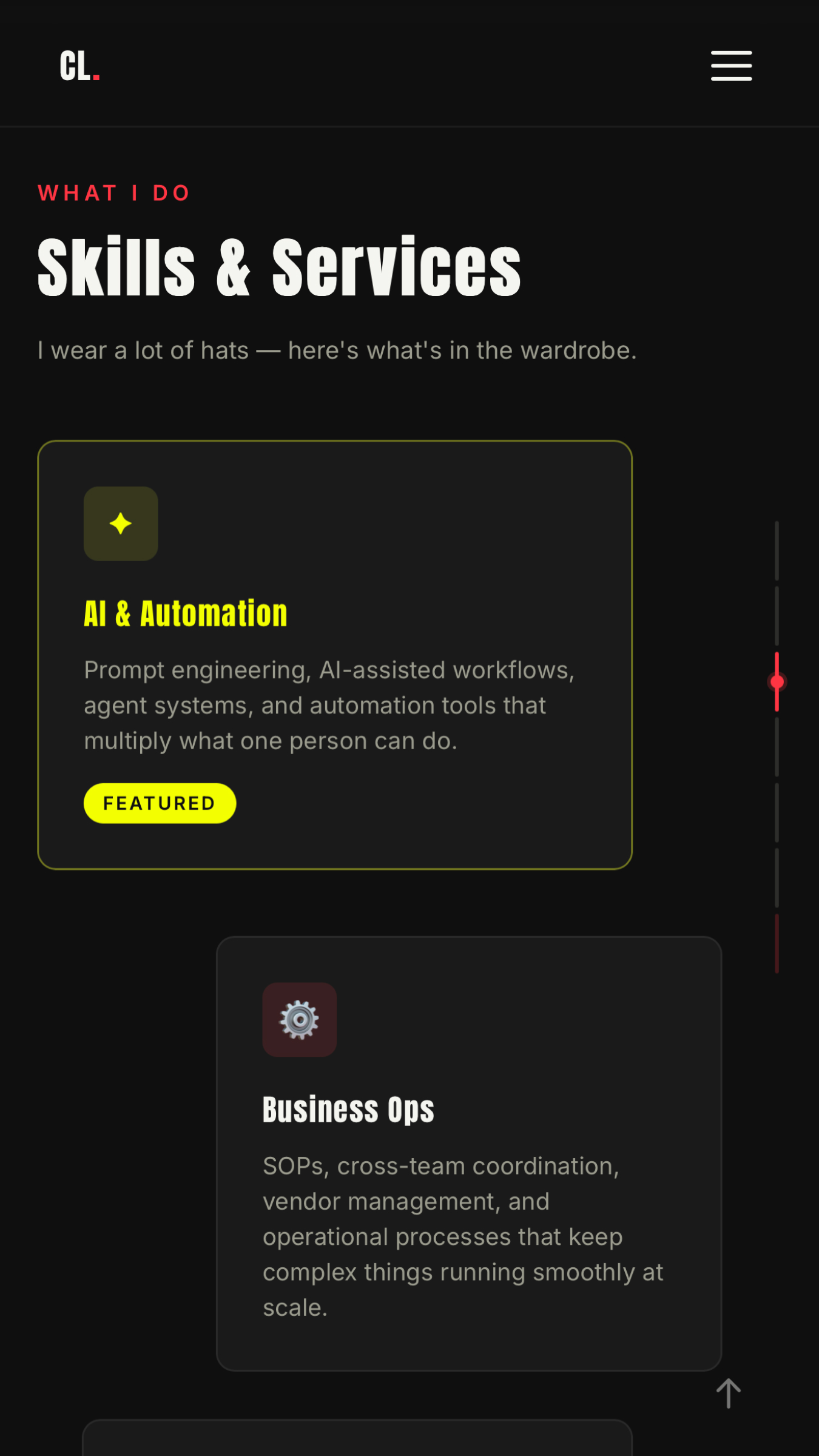
Mobile: tested on a real device, fixed until it was right
The AI Chat
An AI assistant, inside a portfolio built with AI.
The chat widget at the bottom of the homepage runs on Cloudflare Workers AI, a real language model (Llama 3.1-8b) running on the same edge network as the site. I wrote the system prompt: a detailed knowledge base of my background, career history, skills, availability, and what I'm looking for. The model answers questions about me in character.
The meta point is intentional. If you're hiring for someone who works with AI, the portfolio should demonstrate that, not just claim it.
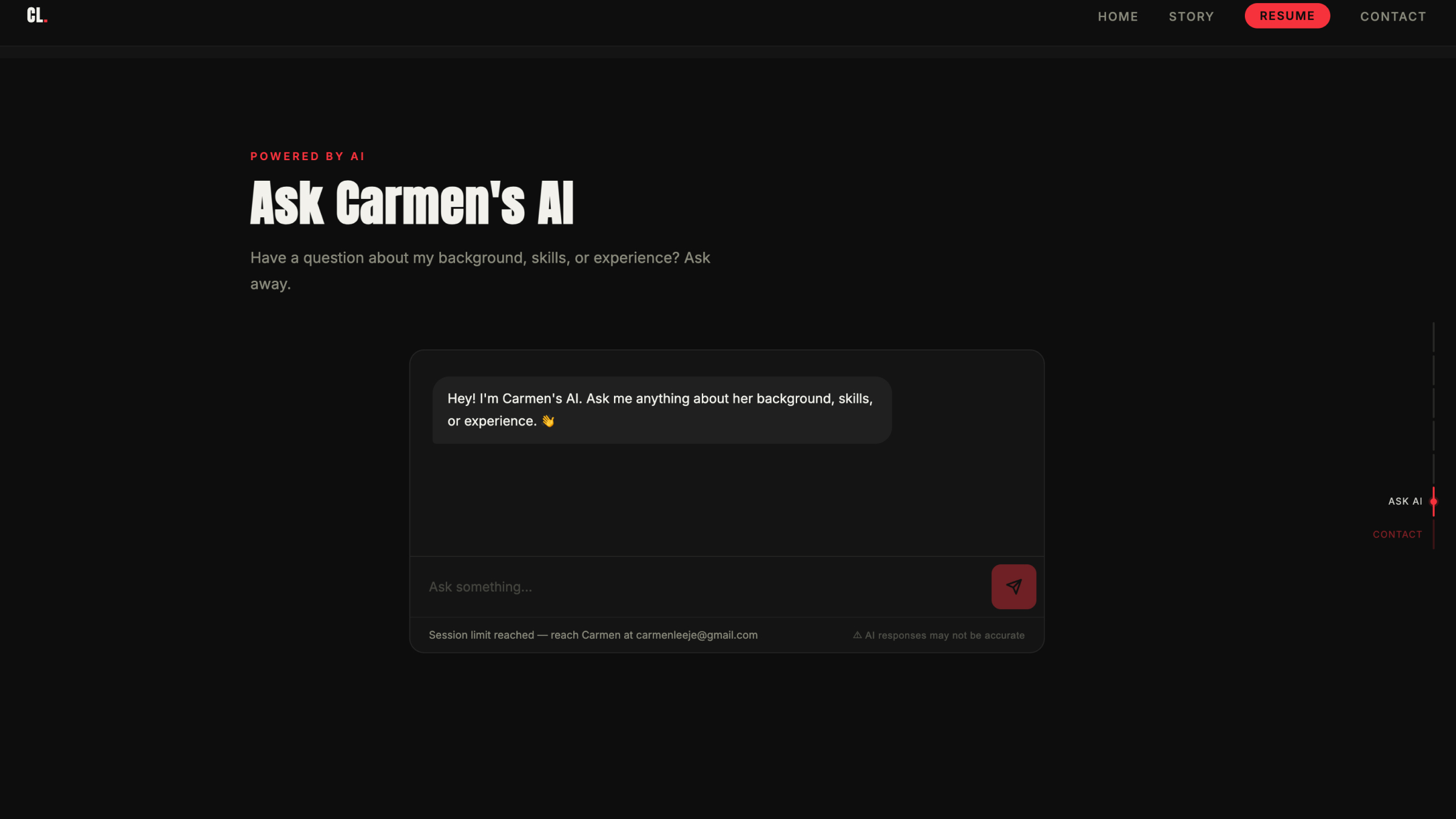
AI chat: live on the homepage, powered by Cloudflare Workers AI
The Story Page
Even the about page was a design project.
The Story page isn't a bio. It's a long-form narrative with polaroid photo layouts, handwriting-style annotations, and scroll reveal animations. I wanted it to feel like a scrapbook: something personal, not a polished corporate timeline.
Every layout decision was mine: which sections use two-column photo-text splits, where the polaroids tilt, which photos go where. The AI built it. I designed it.
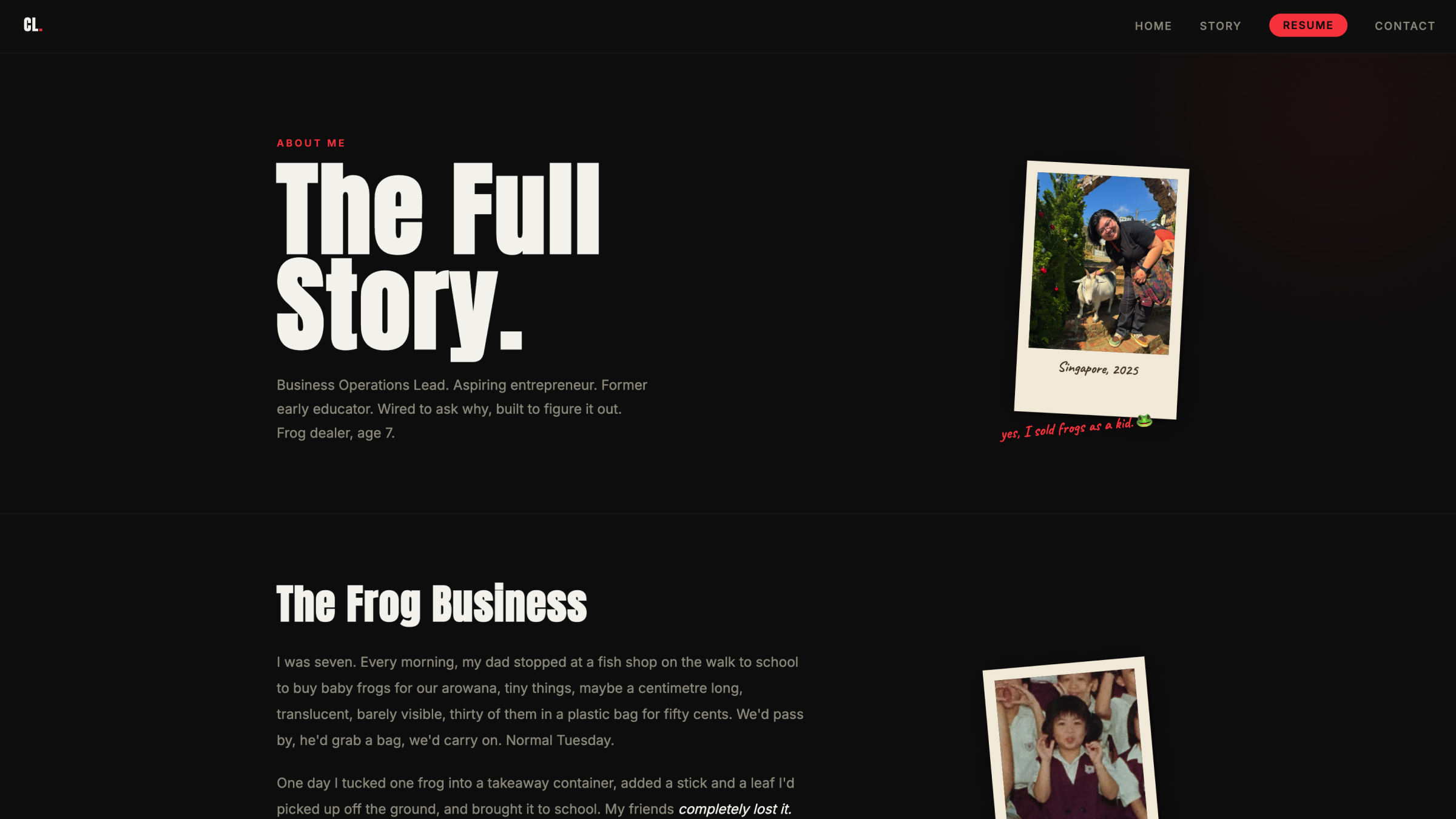
Story page: personal, not corporate
What I Learned
The AI is only as good as the person using it.
Vision is the hardest part. The AI can build whatever you describe. Knowing what to describe, and being able to tell when what you got isn't what you meant, that's the skill. It doesn't come from knowing code. It comes from having taste, experience, and opinions.
Specificity beats length. "Ew no, simpler" works better than three paragraphs if you know what you don't want. Short, precise feedback moves faster than detailed explanations of vague ideas.
Meticulous testing is the job. Nobody was going to find the mobile keyboard bug except me, because only I was testing on an actual phone. The AI doesn't know something looks wrong unless you tell it. Catching what's wrong, and keeping going until it's right, is the work.
Ship beats perfect, but don't stop iterating. The site went live fast. The work didn't stop there. Features get added, bugs get fixed, copy gets tightened. The leverage of AI means you can keep improving without a team.